
The Psychology of Google Reviews: Strategies to Increase Review Velocity, Sentiment, and Star Ratings
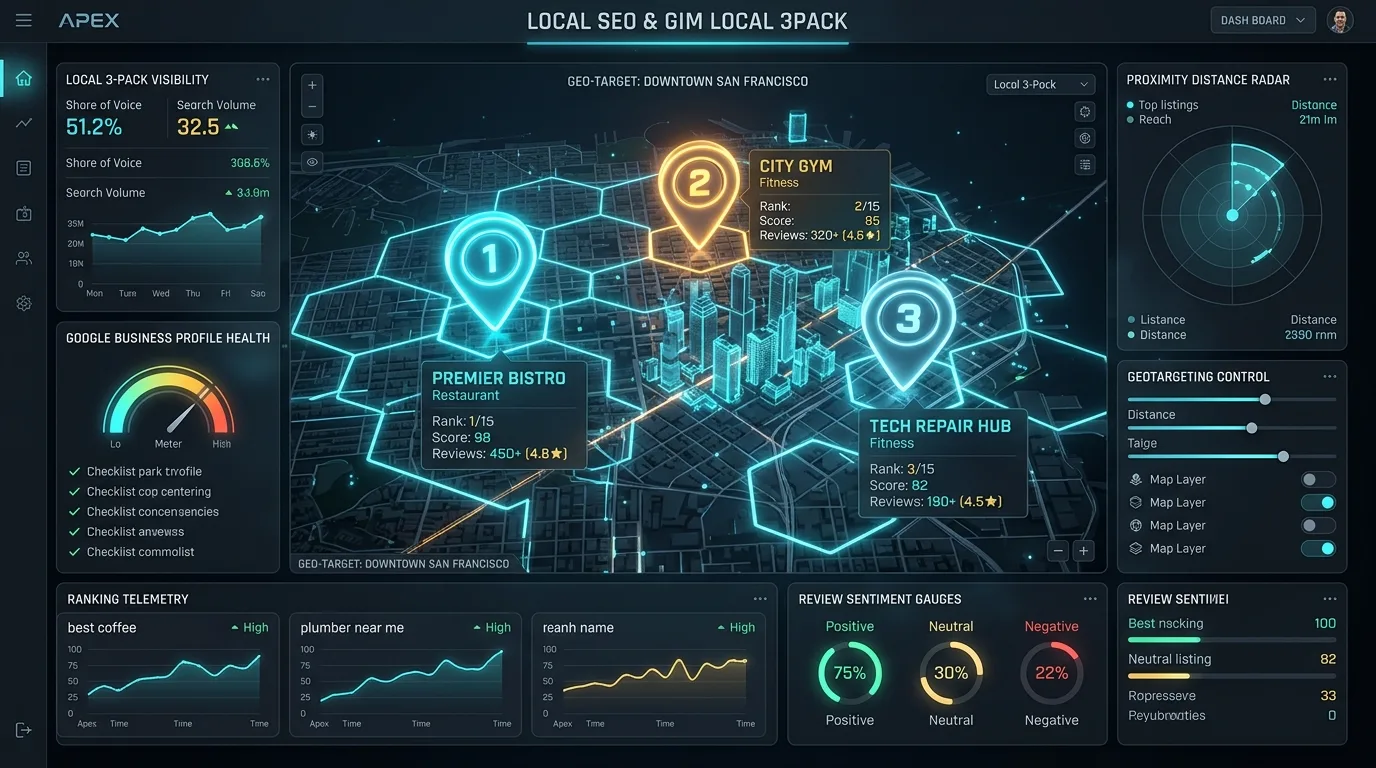
<p class="cb-lead">In local search algorithms and consumer decision psychology, customer reviews on Google Business Profile (GBP) represent the definitive intersection of algorithmic visibility and commercial conversion. While traditional SEO fixates on backlinks, meta tags, and content depth, local search ranking—particularly within the hyper-lucrative Google Local 3-Pack and Google Maps—is heavily determined by review quantity, acquisition velocity, star rating distributions, and granular entity sentiment parsed by neural Natural Language Processing (NLP) models. A business with superior organic rankings will routinely lose qualified leads to a nearby competitor boasting a 4.7-star rating backed by 400 recent, keyword-rich testimonials. In this masterclass, we reverse-engineer the behavioral psychology and algorithmic architecture of Google reviews, providing an actionable playbook to accelerate review velocity, engineer positive sentiment, navigate regulatory compliance, and turn customer advocacy into an automated local growth engine in 2026.</p>
<div class="cb-alert cb-alert--info">
<div class="cb-alert__icon">
</div>
<div class="cb-alert__content">
<div class="cb-alert__title">The Algorithmic Weight of Reviews in Local 3-Pack</div>
<div class="cb-alert__desc">According to empirical local ranking factor studies, review signals (velocity, count, sentiment, and owner response rates) account for approximately 17% of Google Local Pack ranking signals, ranking second only to primary category selection and physical geo-proximity. Furthermore, reviews containing specific service entity keywords generate rich snippet justifications directly inside map pack cards.</div>
</div>
</div>
<h2>1. The Local Search Triad: Relevance, Proximity, and Prominence</h2>
<p>Google evaluates all local search queries through the foundational framework of three core pillars: <strong>Relevance</strong> (how well the business profile matches the user's intent), <strong>Proximity</strong> (how geographically close the business is to the searcher's mobile coordinates or explicit city modifier), and <strong>Prominence</strong> (how well-known, reputable, and authoritative the business is across the digital ecosystem).</p>
<figure class="cb-article-figure">
<img src="/uploads/content/local-map-pack-ranking-factors-matrix.webp" alt="Google Local Map Pack Ranking Factors Matrix and Prominence Signals" class="cb-article-figure__image" loading="lazy">
<figcaption class="cb-article-figure__caption">Figure 1: Comprehensive breakdown of Google Local Map Pack algorithmic ranking signals, illustrating the commanding role of Prominence and customer review attributes.</figcaption>
</figure>
<p>While a business has limited control over physical proximity (you cannot easily relocate your physical brick-and-mortar office to match every mobile user), <strong>Prominence</strong> is entirely manageable. Customer reviews constitute the primary pillar of Prominence. When hundreds of real customers across a metropolitan area verify your services through authenticated Google accounts, Google's algorithm relaxes its strict proximity bias, expanding your ranking radius across neighboring zip codes and suburbs.</p>
<p>For more foundational analysis on Google Business Profile categories and visibility, explore our guide on <a href="/blog/primary-vs-secondary-gbp-categories-local-map-pack-visibility">Primary vs Secondary GBP Categories: How Category Selection Dictates Local Map Pack Visibility</a>.</p>
<div class="cb-post-embed cb-post-embed--id-81" data-post-id="81"></div>
<h2>2. Deconstructing Review Velocity: Momentum vs Algorithmic Burst Penalties</h2>
<p>Review acquisition is governed by <strong>Review Velocity</strong>: the rate and frequency at which a business acquires new customer reviews over a rolling temporal window. Local SEO teams frequently make the mistake of executing aggressive, episodic review drives—sending a blast to 5,000 past customers in a single afternoon. This sudden surge produces an unnatural burst anomaly that triggers Google's automated spam filtration algorithms.</p>
<figure class="cb-article-figure">
<img src="/uploads/content/google-review-velocity-sentiment-tracking.webp" alt="Google Review Velocity Tracking and Temporal Sentiment Distribution" class="cb-article-figure__image" loading="lazy">
<figcaption class="cb-article-figure__caption">Figure 2: Comparative telemetry demonstrating algorithmic filter risks during unnatural review spikes versus sustainable, compounding review momentum over 12 months.</figcaption>
</figure>
<h3>How Google Detects and Filters Review Spam</h3>
<p>Google's spam prevention machine learning models monitor several anomalous velocity signals:</p>
<ul>
<li><strong>Velocity Spikes:</strong> Acquiring 60 reviews in 48 hours after averaging 2 reviews per month for three years triggers immediate algorithmic holding flags. Reviews may be shadow-filtered or deleted.</li>
<li><strong>Geo-IP Dispersion Anomalies:</strong> If a local plumbing business in Phoenix receives reviews from Google accounts whose location history shows they reside in the Philippines or Eastern Europe, the reviews are purged.</li>
<li><strong>Review Account Freshness:</strong> Brand new Google accounts created minutes before leaving a 5-star review carry near-zero trust equity and face high deletion probabilities.</li>
<li><strong>In-Store Wi-Fi Clusters:</strong> Having customers submit reviews while connected to your business guest Wi-Fi router results in dozens of reviews originating from the exact same external IP address, causing Google to flag them as self-generated fraud.</li>
</ul>
<p>The winning strategy is <strong>Steady Operational Velocity</strong>: establishing an automated, post-transaction workflow that delivers 3 to 8 organic reviews every single week. This consistent cadence signals a vibrant, actively patronized business to Google's ranking crawlers.</p>
<h2>3. Natural Language Processing (NLP) in Reviews: Entity Sentiment and Justifications</h2>
<p>Modern Google review algorithms do not merely tally star counts; they run advanced Natural Language Processing (NLP) and named entity recognition (NER) models across every written testimonial. Google extracts three primary data layers from the text body:</p>
<ol>
<li><strong>Service and Product Entity Mentions:</strong> When a customer writes <em>"They replaced my commercial HVAC compressor and repaired the ductwork,"</em> Google registers that your business provides commercial HVAC repair. These entities directly influence your rankings for non-branded transactional queries.</li>
<li><strong>Sentiment Polarity Scoring:</strong> Machine learning models assign mathematical sentiment scores (from -1.0 to +1.0) to individual entity triples. A review stating <em>"The food was delicious but the parking was a nightmare"</em> receives positive sentiment for cuisine and negative sentiment for parking accessibility.</li>
<li><strong>SERP Justifications (Review Snippets):</strong> When a user searches for <em>"emergency water heater replacement"</em>, Google displays a bold snippet beneath your 3-Pack listing: <em>"Their review mentions 'installed our emergency water heater on a Sunday'..."</em>. This review justification drives immediate click-through rates.</li>
</ol>
<figure class="cb-article-figure">
<img src="/uploads/content/local-review-citation-attribution-graph.webp" alt="Local Review Citation Attribution and Entity Extraction Graph" class="cb-article-figure__image" loading="lazy">
<figcaption class="cb-article-figure__caption">Figure 3: Neural network graph demonstrating how customer review text feeds into Google's Knowledge Graph, mapping customer entities to local business attributes.</figcaption>
</figure>
<p>For more on entity disambiguation and Knowledge Graph modeling, consult our pillar guide on <a href="/blog/semantic-search-knowledge-graph-seo-handbook-entities">The Semantic Search and Knowledge Graph SEO Handbook: Structuring Web Entities for Google</a>.</p>
<div class="cb-post-embed cb-post-embed--id-57" data-post-id="57"></div>
<h2>4. The Star Rating Paradox: Why 4.5 to 4.8 Outconverts a Perfect 5.0</h2>
<p>Every business owner dreams of maintaining a flawless 5.0-star rating. However, behavioral economics research and consumer psychology benchmarks reveal a surprising truth: a pristine 5.0 rating actually depresses consumer trust and conversion rates.</p>
<div class="cb-table-wrap">
<table class="cb-table pb-table">
<thead>
<tr>
<th>Star Rating Tier</th>
<th>Consumer Perception & Trust Profile</th>
<th>Commercial Conversion Velocity</th>
<th>Algorithmic Impact in Google Maps</th>
</tr>
</thead>
<tbody>
<tr>
<td><strong>4.9 – 5.0 (Flawless)</strong></td>
<td>Skepticism; consumers suspect fabricated reviews, family bias, or deleted criticism</td>
<td>Moderate (Consumers often seek third-party validation before calling)</td>
<td>Maximum algorithmic prominence, but potential conversion drag</td>
</tr>
<tr>
<td><strong>4.5 – 4.8 (The Sweet Spot)</strong></td>
<td><strong>Peak Authenticity:</strong> High excellence balanced by believable human imperfections</td>
<td><strong>Highest Conversion Rate (Up to 38% higher than 5.0)</strong></td>
<td>Optimal balance of algorithmic authority and consumer trust</td>
</tr>
<tr>
<td><strong>4.0 – 4.4 (Acceptable)</strong></td>
<td>Acceptable for budget services, but buyers will read critical reviews carefully</td>
<td>Moderate conversion drop-off; price sensitivity increases</td>
<td>Slight prominence penalty against top-tier local competitors</td>
</tr>
<tr>
<td><strong>< 3.9 (Severe Risk)</strong></td>
<td>Reputational red flag; consumers actively filter out listings below 4.0 stars</td>
<td>Catastrophic drop-off (Over 70% of searchers refuse to click)</td>
<td>Excluded from Google "Top-Rated" and "Best" filter presets</td>
</tr>
</tbody>
</table>
</div>
<p>Consumers understand that no business is perfect. An occasional 3-star or 4-star review detailing a minor shipping delay or scheduling conflict validates that the surrounding 5-star testimonials are genuine. What matters most is how your business responds to constructive feedback.</p>
<h2>5. Designing Frictionless Review Funnels: SMS, Email, and Dynamic QR Codes</h2>
<p>The primary barrier to acquiring customer reviews is not a lack of customer satisfaction; it is <strong>operational friction</strong>. Satisfied customers are busy; unless the process of leaving a review takes less than 30 seconds on their mobile phone, 90% of willing customers will abandon the attempt.</p>
<figure class="cb-article-figure">
<img src="/uploads/content/gbp-knowledge-panel-review-integration.webp" alt="Google Business Profile Knowledge Panel Review Integration Architecture" class="cb-article-figure__image" loading="lazy">
<figcaption class="cb-article-figure__caption">Figure 4: Integration architecture connecting point-of-sale customer events to automated SMS triggers, shortlink redirects, and Knowledge Panel review dialogs.</figcaption>
</figure>
<h3>The 3-Step Frictionless Review Pipeline:</h3>
<ol>
<li><strong>Extract Your Direct Google Review Shortlink:</strong> In your GBP dashboard, locate the "Ask for reviews" button to copy your direct review dialog URL: <code>https://g.page/r/[CID]/review</code>. When clicked, this link opens the native Google Maps app or mobile browser directly to the 5-star submission pop-up, bypassing search steps.</li>
<li><strong>Deploy Post-Service SMS Messaging:</strong> SMS boasts a 98% open rate and a 45% click-through rate, outperforming email by an order of magnitude. Trigger an automated SMS 1 to 2 hours after service completion when customer satisfaction is peak.</li>
<li><strong>Point-of-Sale Dynamic QR Codes:</strong> For retail storefronts, medical clinics, and hospitality venues, print dynamic QR codes at checkout counters, restaurant tables, or vehicle fleet dashboards linking directly to your review dialog.</li>
</ol>
<div class="cb-code-block">
<div class="cb-code-block__header">
<span class="cb-code-block__lang">SMS Template</span>
<span class="cb-code-block__title">High-Converting Automated Post-Service Review Request</span>
</div>
<pre><code class="language-plaintext">Hi [Customer First Name], thank you for choosing [Business Name] today!
Could you take 30 seconds to share your experience with our team? Your feedback helps neighbors find reliable [Service Name] in [City Name]:
https://g.page/r/[Your-Shortlink]/review
We appreciate your support!</code></pre>
</div>
<h2>6. Regulatory Compliance: The FTC and Google Review Gating Prohibition</h2>
<p>To maximize star averages, many marketing agencies historically deployed <strong>Review Gating</strong>: sending customers an initial survey asking <em>"Did you have a good experience? (Thumbs Up / Thumbs Down)"</em>. If the customer clicked Thumbs Up, they were directed to Google; if they clicked Thumbs Down, they were diverted to a private feedback form.</p>
<div class="cb-alert cb-alert--warning">
<div class="cb-alert__icon">
</div>
<div class="cb-alert__content">
<div class="cb-alert__title">CRITICAL COMPLIANCE DIRECTIVE: Zero Review Gating</div>
<div class="cb-alert__desc">Review gating is strictly prohibited under Google's Maps User Contributed Content Policy and the US Federal Trade Commission (FTC) Endorsement Guides. Violating these policies can result in total profile suspension, mass deletion of all accumulated reviews, and civil fines exceeding $50,000 per violation from regulatory bodies. All customers must be given equal, unimpeded access to review your business.</div>
</div>
</div>
<p>In addition to avoiding review gating, ensure your business strictly adheres to these ethical guidelines:</p>
<ul>
<li><strong>Never Incentivize Reviews:</strong> Offering discounts, gift cards, free products, or lottery entries in exchange for Google reviews violates Google policy and FTC disclosure laws.</li>
<li><strong>Never Review Your Own Business:</strong> Employees, contractors, and agency partners must never leave reviews for their own employer. Google's identity graph tracks employee relationships via corporate email domains and LinkedIn graph connections.</li>
<li><strong>Do Not Set Up Review Stations:</strong> Never hand customers an iPad or laptop in your store to submit a review. When multiple reviews originate from the same device ID, Google flags and deletes them automatically.</li>
</ul>
<h2>7. Review Response Engineering: SEO Value and De-escalation Scripts</h2>
<p>Responding to reviews is not just customer service; it is an on-page SEO signal. Businesses that consistently respond to over 90% of their reviews receive higher local prominence scores, while the text in owner responses provides secondary keyword context for search engines.</p>
<h3>The 4-Step Negative Review De-escalation Protocol:</h3>
<ol>
<li><strong>Acknowledge and Validate:</strong> Begin with empathy without admitting legal liability: <em>"Thank you for sharing your feedback, [Name]. We hold our team to the highest standards, and we are sorry to hear that your experience fell short."</em></li>
<li><strong>Highlight Standard Business Values:</strong> Reaffirm your commitment to quality: <em>"Our standard operating protocol includes full transparent pricing before any HVAC repair begins..."</em></li>
<li><strong>Move the Conversation Offline:</strong> Never debate, argue, or trade accusations publicly. Provide a direct C-suite email address or executive phone number: <em>"Please contact our Operations Director directly at (555) 019-2831 so we can resolve this immediately."</em></li>
<li><strong>Flag Defamatory or Fake Reviews:</strong> If a review violates Google policy (profanity, hate speech, competitor sabotage, or ex-employee retaliation), submit a formal removal request via the Google Business Profile Review Management Tool.</li>
</ol>
<div class="cb-code-block">
<div class="cb-code-block__header">
<span class="cb-code-block__lang">Response Template</span>
<span class="cb-code-block__title">Positive Review Response Injecting Semantic Keywords</span>
</div>
<pre><code class="language-plaintext">Thank you so much for the glowing review, [Customer Name]!
Our entire team at [Business Name] takes immense pride in delivering top-tier [Service Name: e.g., emergency plumbing repair] across [City / Neighborhood Name].
We are thrilled that [Technician Name] was able to resolve your [Specific Problem: e.g., water heater leak] quickly and efficiently. Please don't hesitate to reach out whenever you need expert [Secondary Keyword: e.g., residential plumbing services] in the future!</code></pre>
</div>
<p>For more on managing multi-location enterprise local SEO and reputation, review our comprehensive playbook on <a href="/blog/multi-location-enterprise-local-seo-storefronts">Multi-Location Enterprise Local SEO: Managing Hundreds of Storefronts</a>.</p>
<div class="cb-post-embed cb-post-embed--id-59" data-post-id="59"></div>
<h2>8. Structuring LocalBusiness Schema with AggregateRating for Rich Snippets</h2>
<p>To display glowing review stars directly within organic Google search snippets (below your main website URL), you must deploy valid <code>LocalBusiness</code> schema containing the <code>aggregateRating</code> property on your website. Note that per Google's self-serving review policy, reviews must represent third-party verified ratings rather than self-authored merchant quotes.</p>
<div class="cb-code-block">
<div class="cb-code-block__header">
<span class="cb-code-block__lang">JSON-LD</span>
<span class="cb-code-block__title">LocalBusiness Structured Data with Verified AggregateRating</span>
</div>
<pre><code class="language-json">{
"@context": "https://schema.org",
"@type": "PlumbingContractor",
"name": "Apex Premier Plumbing",
"url": "https://apexpremierplumbing.example",
"telephone": "+1-480-555-0199",
"priceRange": "$$",
"address": {
"@type": "PostalAddress",
"streetAddress": "4820 E Thomas Rd",
"addressLocality": "Phoenix",
"addressRegion": "AZ",
"postalCode": "85018",
"addressCountry": "US"
},
"geo": {
"@type": "GeoCoordinates",
"latitude": 33.4795,
"longitude": -111.9782
},
"aggregateRating": {
"@type": "AggregateRating",
"ratingValue": "4.8",
"reviewCount": "342",
"bestRating": "5",
"worstRating": "1"
}
}</code></pre>
</div>
<p>This implementation ensures search engines extract deterministic quantitative metrics about your company's customer satisfaction across all devices.</p>
<h2>9. Synthesis: The 10-Point Local Review Optimization Checklist</h2>
<p>Implement this checklist to build a sustainable, high-velocity review engine across your business locations:</p>
<ul>
<li>[x] Claim, verify, and fully optimize your Google Business Profile listing.</li>
<li>[x] Generate a direct shortlink to the native review dialog window.</li>
<li>[x] Set up automated post-service SMS review requests within 2 hours of transaction completion.</li>
<li>[x] Ensure zero review gating or conditional feedback filters (100% FTC/Google compliance).</li>
<li>[x] Display dynamic QR codes at all physical customer touchpoints and vehicle fleets.</li>
<li>[x] Train field technicians and front-desk staff on in-person verbal review requests.</li>
<li>[x] Maintain steady, organic review velocity (avoiding artificial bursts).</li>
<li>[x] Respond to 100% of reviews within 24 hours using personalized, keyword-rich scripts.</li>
<li>[x] Escalate fake or policy-violating reviews through the GBP Removal Tool.</li>
<li>[x] Markup landing pages with <code>LocalBusiness</code> and <code>aggregateRating</code> JSON-LD schema.</li>
</ul>
<h2>10. Frequently Asked Questions (FAQ)</h2>
<div class="cb-faq">
<details class="cb-faq__item">
<summary>How much do Google reviews impact Local 3-Pack rankings?</summary>
<div class="cb-faq__answer">
<p>Google reviews account for approximately 17% of local pack ranking factors, making them the second most influential ranking signal after primary category selection. Review quantity, acquisition velocity, star rating averages, and keyword-rich text all contribute directly to prominence scoring in Google Maps.</p>
</div>
</details>
<details class="cb-faq__item">
<summary>What is "Review Velocity" and why is it important?</summary>
<div class="cb-faq__answer">
<p>Review velocity is the pace at which your business receives new reviews over time. A steady, consistent velocity (e.g., 3-5 reviews per week) signals to Google that your business is active and trustworthy. Sudden, unnatural spikes in reviews followed by months of silence can trigger spam filters and result in reviews being removed.</p>
</div>
</details>
<details class="cb-faq__item">
<summary>Can I offer customers a small discount or gift card in exchange for a review?</summary>
<div class="cb-faq__answer">
<p>No. Offering incentives, discounts, gifts, or financial rewards for reviews strictly violates Google's policies and FTC guidelines. Violations can result in profile suspensions, deletion of accumulated reviews, and substantial civil fines.</p>
</div>
</details>
<details class="cb-faq__item">
<summary>What is "Review Gating" and why is it prohibited?</summary>
<div class="cb-faq__answer">
<p>Review gating is the practice of pre-screening customers with a satisfaction survey and only sending happy customers to Google while routing unhappy customers to private feedback forms. Google and the FTC strictly prohibit review gating; all customers must be given equal opportunity to review your business publicly.</p>
</div>
</details>
<details class="cb-faq__item">
<summary>Why does a 4.7 star rating convert better than a 5.0 rating?</summary>
<div class="cb-faq__answer">
<p>Consumer psychology research shows that buyers often perceive a perfect 5.0 star rating as suspicious or manipulated by fake reviews. A rating between 4.5 and 4.8 feels authentic and credible, demonstrating that the business is real and human while consistently delivering exceptional service.</p>
</div>
</details>
<details class="cb-faq__item">
<summary>Do keywords in customer reviews help my business rank for those terms?</summary>
<div class="cb-faq__answer">
<p>Yes. Google's Natural Language Processing (NLP) models extract entities and service keywords from customer review text. Reviews that mention specific services (e.g., "emergency water heater repair") directly boost your rankings for those queries and generate bold review snippet justifications in the 3-Pack.</p>
</div>
</details>
<details class="cb-faq__item">
<summary>How should I handle a fake or defamatory Google review?</summary>
<div class="cb-faq__answer">
<p>First, post a calm, professional response indicating that you have no record of their customer transaction and inviting them to contact management offline. Second, flag the review through the Google Business Profile Review Management Tool for violation of policies such as conflict of interest or harassment.</p>
</div>
</details>
<details class="cb-faq__item">
<summary>What is the best channel to ask customers for reviews: SMS or email?</summary>
<div class="cb-faq__answer">
<p>SMS is vastly superior to email for review generation. SMS text messages achieve open rates over 98% and click-through rates up to 45%, compared to 20% open rates and 2-3% click rates for email. Sending an SMS with a direct review link within 2 hours of service yields the highest conversion.</p>
</div>
</details>
<details class="cb-faq__item">
<summary>Can I have customers leave reviews on a tablet in my store?</summary>
<div class="cb-faq__answer">
<p>No. Having multiple customers submit reviews from the same device or Wi-Fi IP address triggers Google's fraud detection filters. Google associates reviews with device fingerprints and IP locations; always have customers submit reviews from their personal mobile devices.</p>
</div>
</details>
<details class="cb-faq__item">
<summary>Does responding to reviews improve my local SEO rankings?</summary>
<div class="cb-faq__answer">
<p>Yes. Google has officially confirmed that responding to reviews improves your business's prominence score and signals active engagement. Furthermore, thoughtful owner responses provide opportunities to naturally reinforce brand and service entities.</p>
</div>
</details>
</div>
Ratings & reviews
No reviews yet. Be the first.