

In the high-stakes domain of enterprise search, relying on manual web interfaces and CSV spreadsheet exports is an unsustainable operational liability. Google Search Console’s native web interface caps data tables at exactly 1,000 rows—obscuring up to 99% of your actual search footprint—and deletes historical query logs after 16 months. For engineering-driven SEO teams, mastering Python automation with the Google Search Console (Search Analytics) API is the definitive path to unlocking un-sampled first-party data, detecting hidden keyword cannibalization, and streaming permanent search telemetry directly into cloud data warehouses.
By replacing manual GUI exports with programmatic Python scripts, you eliminate human error, bypass the 1,000-row barrier, extract up to 25,000 rows per request, and archive years of un-sampled query logs in Google BigQuery or PostgreSQL. Python transforms raw search logs into predictive models, real-time Slack anomaly alerts, and automated cannibalization detection engines.
1. Why Python Is Essential for Modern Enterprise SEO Analytics
As websites expand across tens of thousands of URLs, international ccTLDs, and faceted catalog taxonomies, standard commercial SEO tools become prohibitively expensive or analytically restrictive. Third-party platforms provide aggregate keyword volume estimates, but they cannot tell you the exact queries real users typed yesterday to land on your checkout funnel.
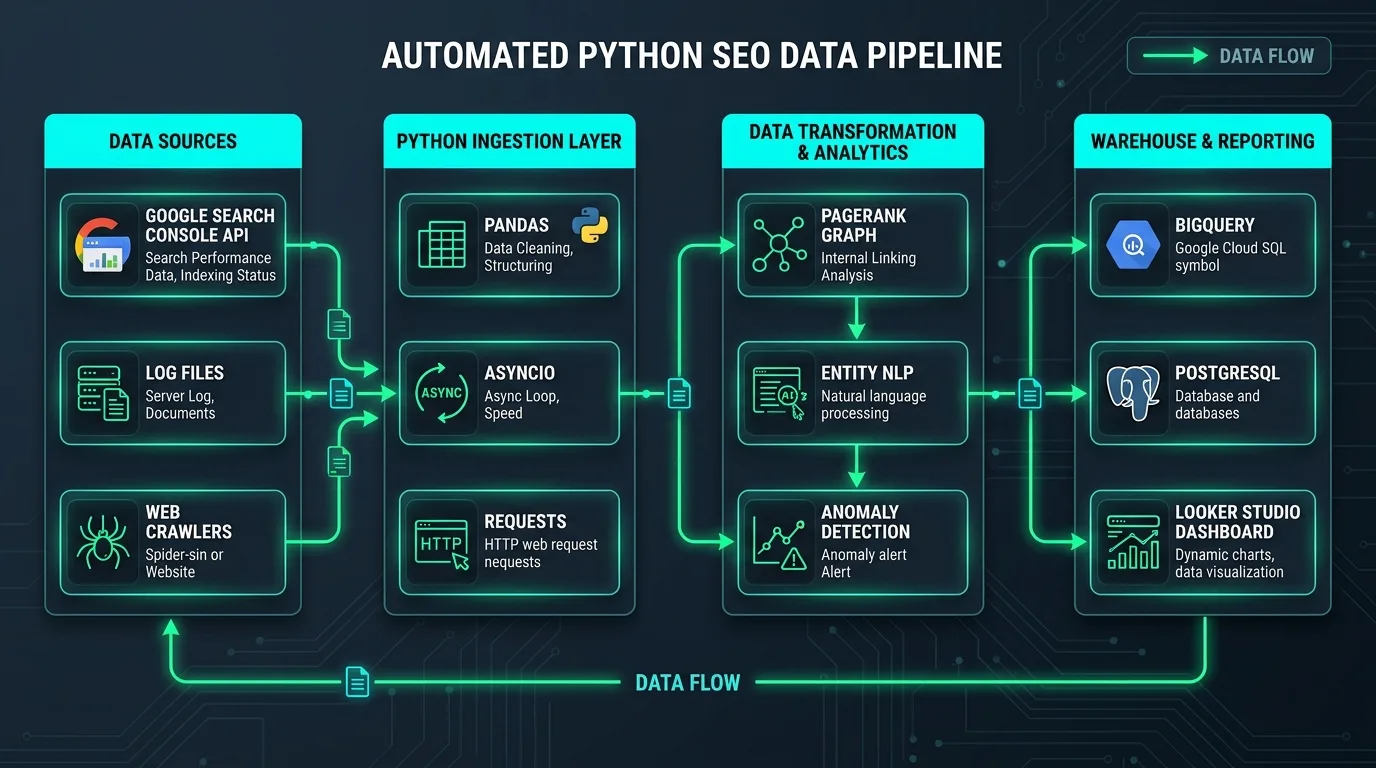
Python has established itself as the lingua franca of data engineering and technical SEO. By combining Python’s rich ecosystem—including google-api-python-client, pandas, networkx, and google-cloud-bigquery—technical webmasters can automate tasks that would require hundreds of manual hours:
- Un-Sampled Query Extraction: Paginating through Google's API to extract every long-tail search query receiving impressions.
- Automated Forensic Auditing: Cross-referencing Search Console click trends against server access logs and XML sitemaps to verify crawler efficiency.
- Algorithmic Quality Monitoring: Running rolling standard deviation formulas across subdirectories to detect algorithmic traffic drops within 24 hours.
- Programmatic Graph Analysis: Modeling internal PageRank distribution to identify isolated orphaned URLs and link equity bottlenecks.
To understand the full spectrum of Search Console metrics and regular expression filtering before writing automation scripts, consult our master guide on Google Search Console advanced filtering and regex queries.
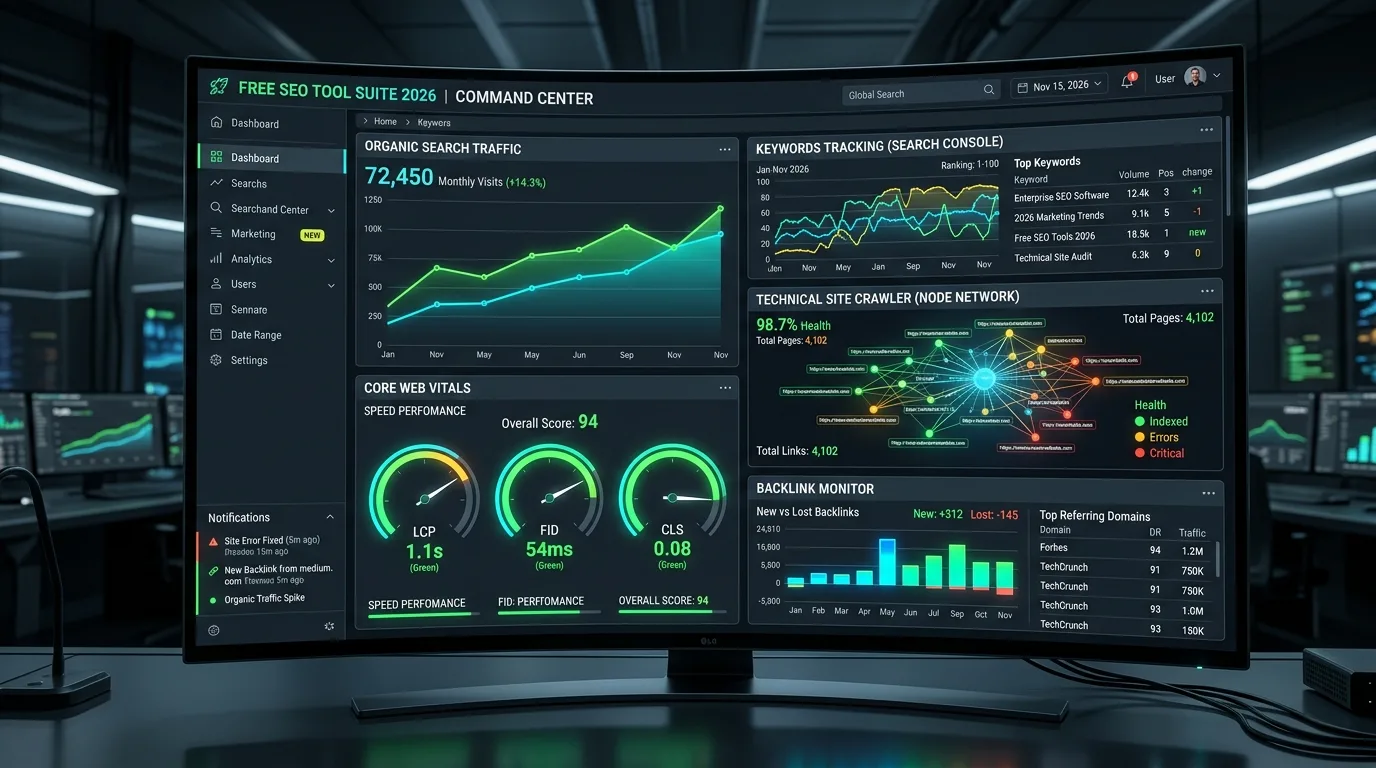
2. Google Search Console API Architecture: Endpoints, Rate Limits, and Quotas
The official Google Search Console API (v1) provides programmatic access to property management, sitemap submissions, URL inspection, and Search Analytics telemetry. For data analysts, the core endpoint is:
POST https://www.googleapis.com/webmasters/v3/sites/{siteUrl}/searchAnalytics/queryAPI Quotas and Operational Constraints
Understanding Google's API constraints prevents runtime execution failures in production pipelines:
| Quotas & Constraints | API Specification | Developer Strategy & Best Practice |
|---|---|---|
| Maximum Rows per Request | 25,000 rows | Implement pagination using startRow increments of 25,000. |
| Queries per Minute (QPM) | 1,200 QPM per user / project | Implement exponential backoff and jitter algorithms using retry decorators. |
| Daily API Call Quota | 100,000 requests per day | Batch requests across date chunks; cache responses locally in Parquet or DuckDB. |
| Supported Dimensions | query, page, country, device, date, searchAppearance |
Combining dimensions increases row cardinality; query individual dimensions for macro reporting. |
| Data Aggregation Mode | auto, byPage, byProperty |
Use byPage when calculating URL-level performance to avoid property-level duplicate rollups. |
3. Setting Up Google Cloud Project, Service Accounts, and IAM Delegations
To automate data extraction securely without requiring interactive OAuth browser popups on every script execution, you must configure a Google Cloud Service Account.
Step-by-Step IAM Provisioning
- Navigate to the Google Cloud Console and create a new project (e.g.,
seo-analytics-automation). - Navigate to APIs & Services $ ightarrow$ Library $ ightarrow$ Search for Google Search Console API and click Enable.
- Navigate to IAM & Admin $
ightarrow$ Service Accounts $
ightarrow$ Click Create Service Account. Assign a name (e.g.,
gsc-data-extractor). - Once created, click on the service account $ ightarrow$ navigate to Keys $ ightarrow$ Click Add Key $ ightarrow$ Create new key $ ightarrow$ Select JSON. Download the generated credentials file.
- The Critical Delegation Step: Copy the unique client email address generated for the service account. Open Google Search Console $ ightarrow$ Select your verified property $ ightarrow$ Navigate to Settings $ ightarrow$ Users and permissions $ ightarrow$ Click Add User $ ightarrow$ Paste the service account email and grant Full permission.
Never commit your service account JSON file to public code repositories. Store credentials paths in environment variables and add JSON secret keys to your .gitignore manifest.
4. Bypassing the 1,000-Row UI Limit: Pagination and Chunked Date Iteration in Python
When you query the Search Analytics API for a broad date range across multiple dimensions, a single request will return at most 25,000 rows. If your domain generated 300,000 unique query-page interactions during that month, querying without pagination leaves 92% of your data uncollected.
The solution is an automated Pagination and Date-Chunking Engine:
import os
import time
from datetime import datetime, timedelta
from googleapiclient.discovery import build
from google.oauth2 import service_account
import pandas as pd

def get_gsc_service(credentials_path: str):
    credentials = service_account.Credentials.from_service_account_file(
        credentials_path,
        scopes=["https://www.googleapis.com/auth/webmasters.readonly"]
    )
    return build("searchconsole", "v1", credentials=credentials)

def fetch_all_search_data(service, site_url: str, date_str: str):
    all_rows = []
    start_row = 0
    row_limit = 25000

    while True:
        request_body = {
            "startDate": date_str,
            "endDate": date_str,
            "dimensions": ["query", "page", "country", "device"],
            "rowLimit": row_limit,
            "startRow": start_row,
            "aggregationType": "byPage"
        }

        try:
            response = service.searchanalytics().query(siteUrl=site_url, body=request_body).execute()
            rows = response.get("rows", [])
            if not rows:
                break

            for r in rows:
                all_rows.append({
                    "date": date_str,
                    "query": r["keys"][0],
                    "page": r["keys"][1],
                    "country": r["keys"][2],
                    "device": r["keys"][3],
                    "clicks": r["clicks"],
                    "impressions": r["impressions"],
                    "ctr": r["ctr"],
                    "position": r["position"]
                })

            start_row += len(rows)
            print(f"[{date_str}] Extracted {start_row} rows...")

            if len(rows)
By querying day-by-day and paginating through startRow until the returned row count is less than 25,000, this script guarantees 100% data capture without hitting pagination timeouts.
5. Data Wrangling with Pandas: Merging Clicks, Impressions, CTR, and Average Position
Once raw JSON payloads are loaded into a Pandas DataFrame, you have access to the full analytical power of the Python scientific computing stack. Standard Excel spreadsheets crash when processing 500,000 rows; Pandas performs group-by aggregations and regex filtering across millions of records in milliseconds.
| Python Library | Target Version | Primary Function in SEO Automation | Legacy Manual Workflow Replaced |
|---|---|---|---|
| pandas | $\ge 2.2.0$ | High-speed DataFrame manipulation, aggregation, and filtering. | VLOOKUP, Excel pivot tables, and CSV exports. |
| google-api-python-client | $\ge 2.120.0$ | Direct REST API client for Google Search Console & Drive APIs. | Manual Search Console web dashboard downloads. |
| google-cloud-bigquery | $\ge 3.19.0$ | Streaming DataFrames directly into cloud BigQuery tables. | Manual CSV uploads to Google Drive or local hard drives. |
| networkx | $\ge 3.2.0$ | Internal PageRank calculation and network graph topology. | Third-party visual site mapping tools. |
| requests / urllib3 | $\ge 2.31.0$ | Webhook alerts, HTTP status code checks, and URL verification. | Manual browser checking of 404s and redirect chains. |
6. Algorithmic Cannibalization Detection: Identifying Multi-URL Query Collisions via Pandas
Keyword cannibalization occurs when multiple URLs on your domain receive impressions and clicks for the exact same query, causing Google to oscillate between them and depressing rankings. Manually spotting this across 100,000 queries in Excel is impossible. In Python, it requires a simple aggregation pipeline:
def detect_keyword_cannibalization(df: pd.DataFrame, min_impressions: int = 250):
    query_agg = df.groupby('query').agg({
        'page': 'nunique',
        'impressions': 'sum',
        'clicks': 'sum',
        'position': 'mean'
    }).reset_index()

    cannibalized_queries = query_agg[
        (query_agg['page'] >= 2) &
        (query_agg['impressions'] >= min_impressions)
    ].sort_values(by='impressions', ascending=False)

    print(f"Detected {len(cannibalized_queries)} active cannibalization collisions.\n")

    for q in cannibalized_queries['query'].head(5):
        print(f"Query Collision: '{q}'")
        competing_pages = df[df['query'] == q].groupby('page').agg({
            'clicks': 'sum',
            'impressions': 'sum',
            'position': 'mean'
        }).reset_index()
        for _, row in competing_pages.iterrows():
            print(f"  - Pos {row['position']:.1f} | Clicks: {row['clicks']} | URL: {row['page']}")
        print("-" * 65)

if __name__ == "__main__":
    df = pd.read_parquet("gsc_2026-09-20.parquet")
    detect_keyword_cannibalization(df)
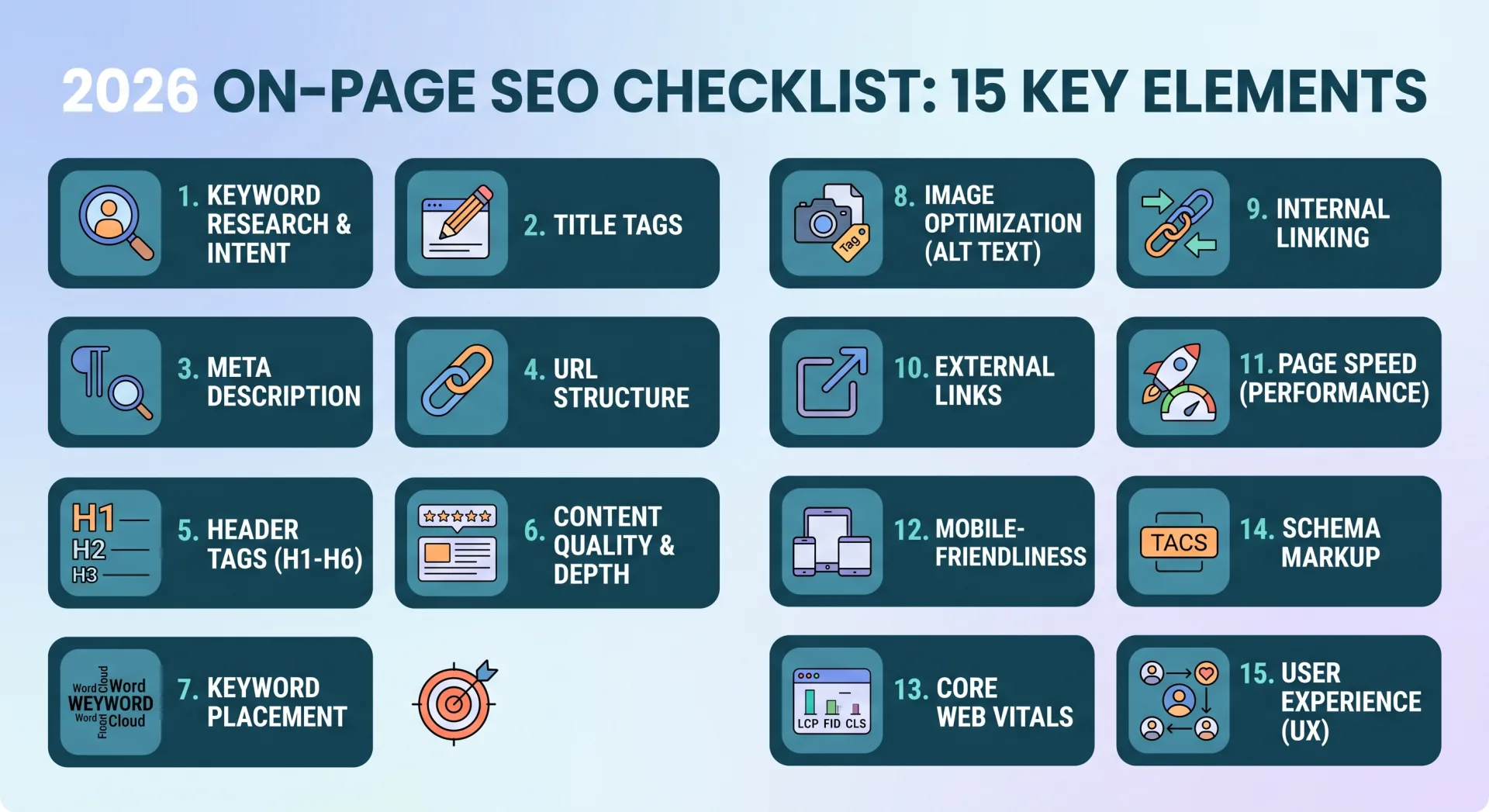
When this script flags colliding URLs, engineering teams can immediately apply canonical tags, consolidate content, or adjust internal anchor text to restore unambiguous topical signals, following the directives in our guide on on-page SEO mastery and semantic relevance.
7. Automating BigQuery Integration: Streaming Search Console Data to Cloud Data Warehouses
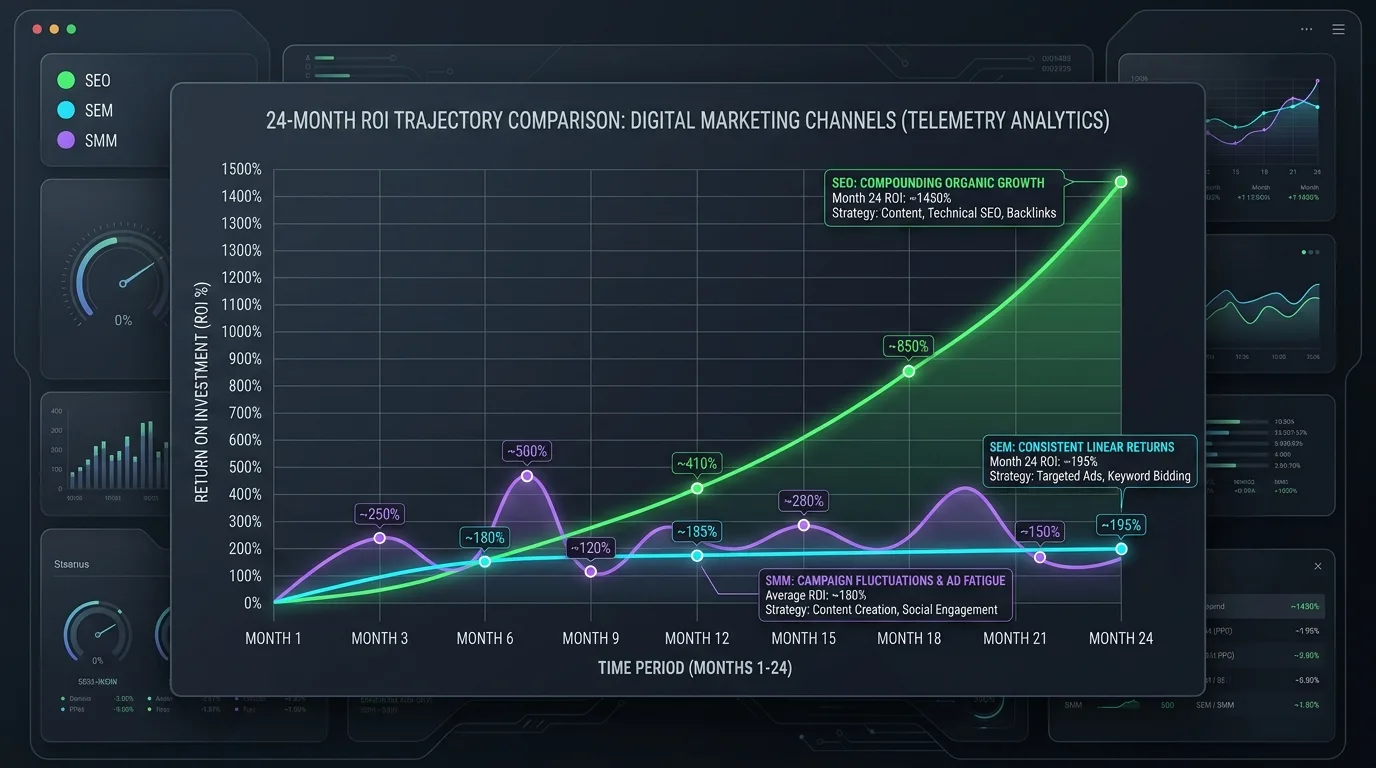
For enterprise portals generating tens of millions of monthly search impressions, local Parquet files become difficult to share across cross-functional business intelligence teams. The enterprise gold standard is streaming cleaned Search Console DataFrames directly into Google BigQuery.
Python-to-BigQuery Ingestion Script
Using pandas_gbq, you can append daily search logs to a date-partitioned BigQuery table in seconds:
from google.cloud import bigquery
import pandas_gbq

def stream_dataframe_to_bigquery(df: pd.DataFrame, project_id: str, dataset_id: str, table_id: str):
    destination_table = f"{dataset_id}.{table_id}"
    df['date'] = pd.to_datetime(df['date'])

    pandas_gbq.to_gbq(
        df,
        destination_table,
        project_id=project_id,
        if_exists='append',
        table_schema=[
            {'name': 'date', 'type': 'DATE'},
            {'name': 'query', 'type': 'STRING'},
            {'name': 'page', 'type': 'STRING'},
            {'name': 'country', 'type': 'STRING'},
            {'name': 'device', 'type': 'STRING'},
            {'name': 'clicks', 'type': 'INTEGER'},
            {'name': 'impressions', 'type': 'INTEGER'},
            {'name': 'ctr', 'type': 'FLOAT'},
            {'name': 'position', 'type': 'FLOAT'}
        ]
    )
    print(f"Successfully streamed {len(df)} rows to BigQuery: {destination_table}")
Once stored in BigQuery, you can connect Looker Studio, Tableau, or PowerBI to build real-time executive dashboards that update automatically every morning without human intervention.
8. Building an Automated Slack/Discord Anomaly Notification Bot
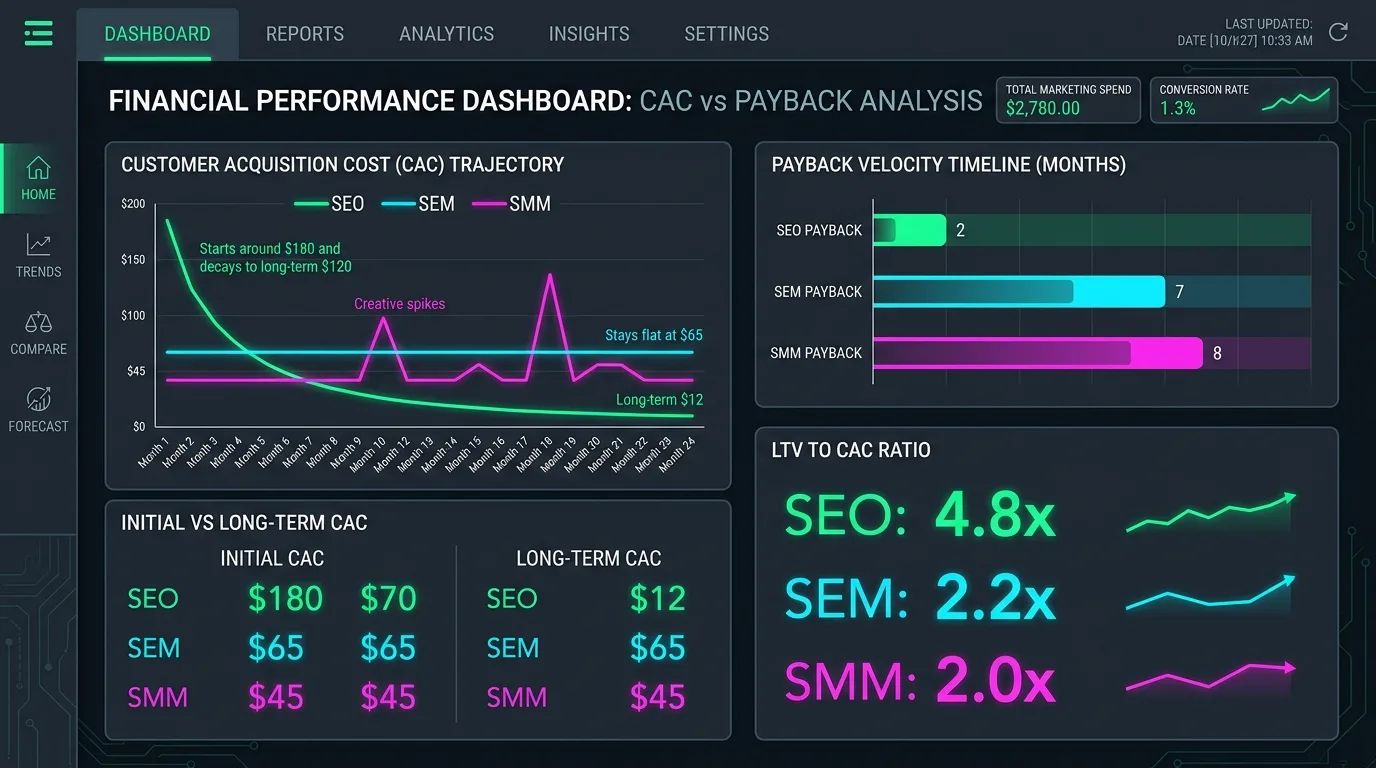
Why wait for an executive to ask why organic sales dropped 40% when your Python automation can detect the anomaly and notify your DevOps channel in real time?
The Webhook Alert Implementation
import requests
import json
import time

def dispatch_slack_alert(webhook_url: str, title: str, message: str, severity: str = "danger"):
    color = "#e53e3e" if severity == "danger" else "#38a169"
    payload = {
        "attachments": [{
            "color": color,
            "title": f"🚨 SEO Performance Alert: {title}",
            "text": message,
            "footer": "Seobeen Search Telemetry Bot",
            "ts": int(time.time())
        }]
    }
    res = requests.post(webhook_url, data=json.dumps(payload), headers={"Content-Type": "application/json"})
    if res.status_code == 200:
        print("Alert successfully posted to Slack.")
    else:
        print(f"Failed to post Slack alert: {res.status_code} {res.text}")
Pair this script with your daily GSC extraction. Calculate the 14-day rolling average of organic clicks for your top 10 commercial subdirectories. If yesterday's click volume drops by more than 2.5 standard deviations, dispatch an instant alert specifying the exact URLs that suffered the drop.
9. Production Architecture: Containerizing with Docker and Scheduling with GitHub Actions / Airflow
Running scripts manually on a local laptop is amateur. In production, your Python SEO automation must run autonomously in a containerized environment on a scheduled cron.
Production Deployment Options
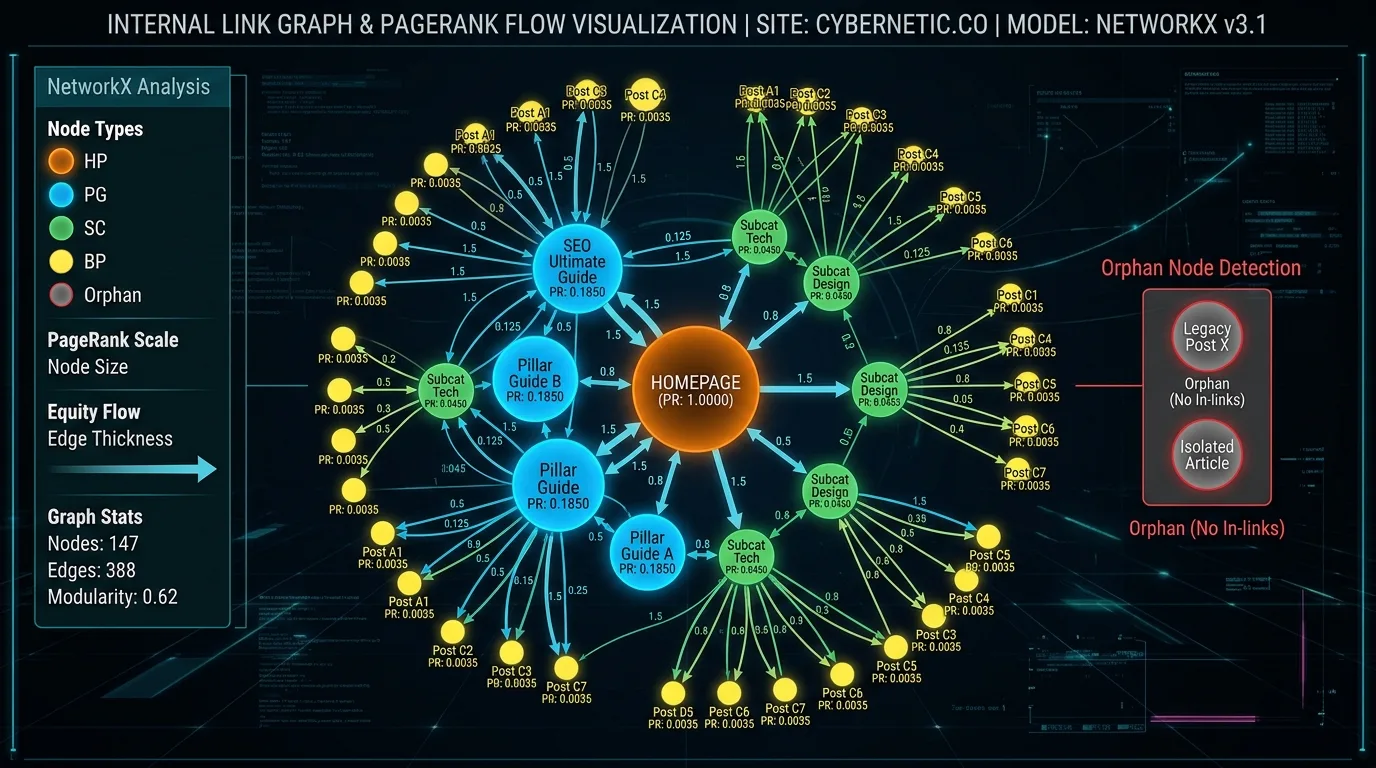
- GitHub Actions Cron: For lightweight daily extractions, configure a GitHub Actions workflow YAML that checks out your repository, sets up Python 3.11, injects service account secrets, and runs your daily extraction script at
04:00 UTCdaily. - Dockerized Cloud Run / AWS ECS Task: For enterprise portals requiring hours of multi-threaded API calls, package your script into a minimalist Docker container based on
python:3.11-slimand trigger it daily using Google Cloud Scheduler. - Apache Airflow / Prefect: For complex data engineering ecosystems where Search Console data must be joined with Google Analytics 4, Salesforce CRM opportunities, and server access logs, construct a unified DAG pipeline that orchestrates dependencies sequentially.
To examine how serverless edge compute complements backend Python pipelines, explore our technical guide on the Edge SEO blueprint using Cloudflare Workers.

10. Frequently Asked Questions
Explore authoritative answers to essential technical questions regarding Google Search Console API automations, Python scripting, and BigQuery data pipelines.
What is the difference between Search Console API and the Search Console BigQuery Bulk Export?
The Search Console API requires custom Python code to query and extract data on demand (up to 25,000 rows per call). The BigQuery Bulk Export is a native Google feature configured in the GSC UI that automatically dumps daily raw search performance and URL inspection logs directly into BigQuery without code. Bulk Export has zero row limits and includes complete un-sampled long-tail query logs.
Can I use the Search Console API to submit URLs for indexing?
No. The Search Console API does not support requesting indexation. That functionality is handled by the Google Indexing API (which is officially restricted to JobPosting and BroadcastEvent schemas, though some technical SEOs test it more broadly) or manually via the Search Console URL Inspection web interface.
Why does the GSC API return different total clicks than the Search Console web interface?
Discrepancies arise due to privacy thresholds and aggregation types. The web interface chart displays property-level totals including anonymized rare queries, whereas API queries segmented by page and query exclude rare personal queries to protect privacy. Using byPage aggregation in your API requests provides the most accurate alignment with page-level reality.
How far back can I extract data using the Search Console API?
The Search Console API allows querying up to 16 months of historical data. To maintain a multi-year permanent historical archive, you must automate daily extractions to BigQuery or Parquet files, ensuring historical search logs are never lost.
What is the difference between URL-Prefix and Domain Property in API queries?
In the API parameter siteUrl, a Domain Property must be prefixed with sc-domain: (e.g., sc-domain:example.com). A URL-Prefix property must include the full protocol and trailing slash (e.g., https://www.example.com/). Querying sc-domain: aggregates data across all subdomains and protocols.
How can I avoid hitting the 1,200 QPM rate limit in multi-threaded Python scripts?
Use Python's ThreadPoolExecutor with a maximum of 5 to 8 worker threads, and implement rate-limiting tokens or slight pauses between calls. Wrap API requests in retry decorators with exponential backoff to handle transient HTTP 429 errors gracefully.
What is the best storage format for local Search Console backups?
Apache Parquet (.parquet) is vastly superior to CSV. Parquet provides columnar compression that reduces disk usage by 85% to 90%, preserves native data types (dates, integers, floats), and loads into Pandas up to 20 times faster than raw CSVs.
Can the GSC API provide real-time intraday data?
Preliminary intraday data can be accessed by querying for today's date if available, but final consolidated search metrics typically exhibit a processing lag of 12 to 24 hours. Production anomaly scripts should benchmark against data from 2 to 3 days prior for absolute statistical stability.
How do I verify that my Python script is extracting all available data?
Sum the clicks column in your extracted DataFrame and compare it against the total clicks reported for that specific date in the GSC web interface chart. In non-branded query sets, your extracted total should typically match 88% to 96% of the chart total, with the remainder withheld by Google's privacy filter.
Does using the Search Console API cost money on Google Cloud?
The Google Search Console API itself is 100% free of charge and does not incur API call fees. If you stream data to Google BigQuery, BigQuery provides a free monthly tier (10 GB storage and 1 TB query analysis per month), which easily covers several years of search logs for the vast majority of websites.

Ratings & reviews
No reviews yet. Be the first.