
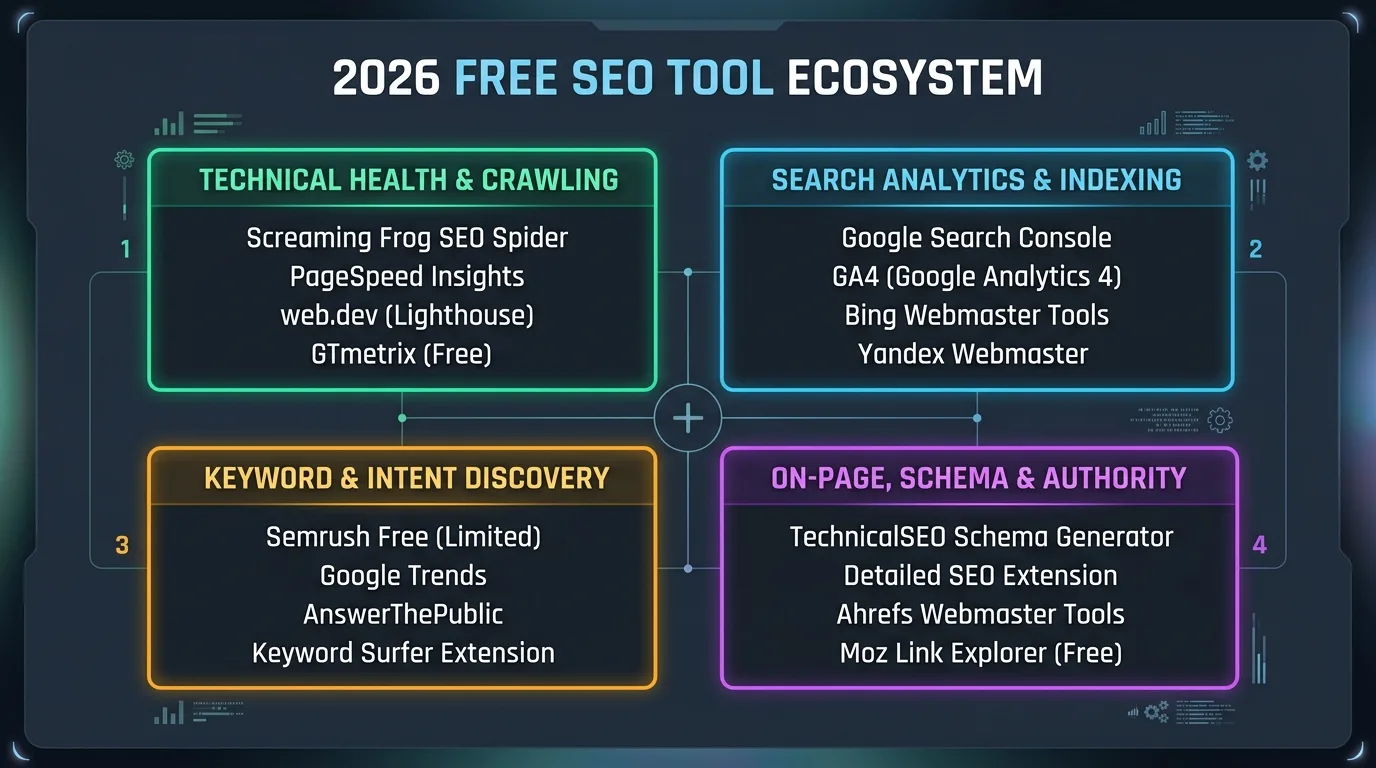
For organic search professionals, the forced transition from Universal Analytics (UA) to Google Analytics 4 (GA4) was fraught with friction. The deprecation of familiar session-based reports, the rise of flexible event-driven data models, and the bewildering complexity of default attribution channels left many SEO teams struggling to prove real business ROI. Yet, when configured with enterprise precision, GA4 offers unprecedented analytical power: multi-touch algorithmic attribution, custom exploration canvases, BigQuery event streaming, and granular organic landing page pipeline tracking. Master the end-to-end implementation of GA4 engineered specifically for high-growth search marketing.
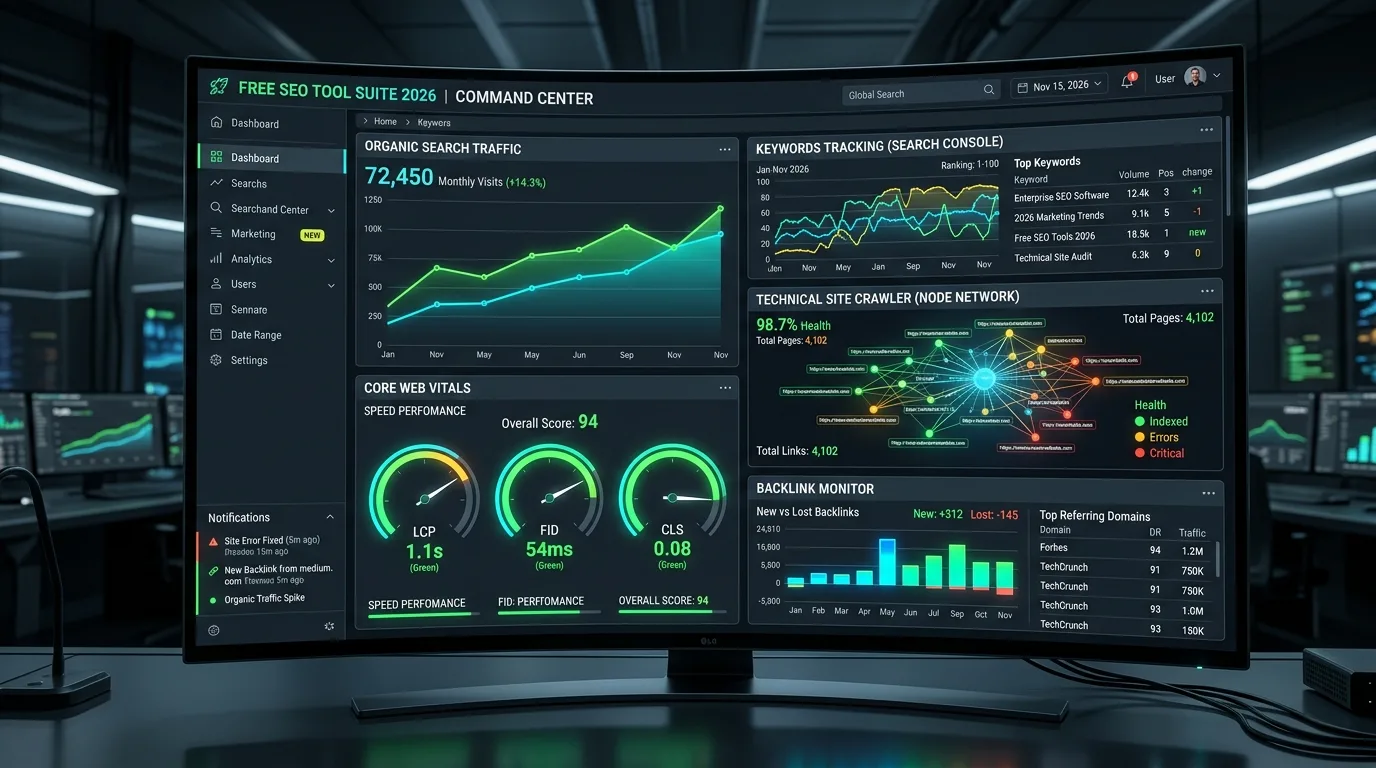
1. The Fundamental Architecture: Universal Analytics vs. GA4 Event Models
Understanding GA4 requires unlearning the session-and-pageview hierarchy of Universal Analytics. In UA, hits were categorized into rigid types: pageviews, screenviews, events, transactions, and social interactions. A session was an artificial container that terminated after 30 minutes of inactivity or at midnight.
In Google Analytics 4, everything is an event. A pageview is simply an event named page_view accompanied by parameter keys; a conversion is an event toggled as a key event; and user interactions are tracked via granular event parameters (such as page_location, page_referrer, scroll_depth, and custom entity attributes). This unified, event-driven schema mirrors the modern cloud data architectures utilized by modern data warehouses, eliminating arbitrary session timeouts and enabling seamless cross-platform tracking across web applications and native mobile apps.
2. The Organic Search Dimension: Session Source/Medium vs. First User Source/Medium
One of the most frequent analytical blunders in GA4 SEO reporting is confusing First user source / medium with Session source / medium. Misinterpreting these two distinct attribution scopes leads to deeply distorted ROI reporting:
| Attribution Dimension | Attribution Scope | Analytical Definition | SEO Use Case |
|---|---|---|---|
| First user source / medium | User-Scoped | Attributes all lifetime user activity back to the very first touchpoint that acquired the visitor. | Measuring top-of-funnel SEO brand discovery and organic customer acquisition efficiency. |
| Session source / medium | Session-Scoped | Attributes conversions to the channel that initiated the specific session in which the conversion occurred. | Evaluating immediate organic campaign performance and transactional landing page velocity. |
| Source / medium (Event) | Event-Scoped | Evaluates each individual conversion event against GA4's Data-Driven Attribution (DDA) model. | Multi-touch fractional attribution modeling in custom Exploration canvases. |
If you evaluate content marketing solely through Session-scoped metrics, high-authority informational pillar pages will appear non-converting, because users who discover your brand via educational guides often return days later via Direct or Paid channels to complete their purchase. Inspecting First user metrics accurately attributes multi-million dollar enterprise pipelines back to initial organic search discoveries, as demonstrated in the 80/20 rule of search marketing.
3. Building the Ultimate Organic Landing Page Exploration Canvas
The default standard reports in GA4 (Reports -> Engagement -> Landing page) are notoriously restrictive: they lack flexible dimension pivoting, granular metric filtering, and regex query capabilities. To conduct forensic SEO audits, search engineers construct custom Free-Form Explorations.
Step-by-Step Configuration Recipe:
- Navigate to Explore in the left navigation and click Blank Exploration.
- Under Dimensions, import:
Landing page + query stringSession source / mediumDevice categoryCountry
- Under Metrics, import:
SessionsEngaged sessionsEngagement rateAverage engagement time per sessionKey events(Conversions)Purchase revenue(or total lead value)
- Under Filters, set:
Session source / mediumexactly matchesgoogle / organic.
This customized canvas provides an unvarnished audit of your organic landing page health, instantly highlighting high-traffic articles suffering from sub-40% engagement rates or zero downstream conversions.
4. Custom Event Tracking: Scroll Depth, Outbound Clicks, and Content Engagement
While GA4 includes "Enhanced Measurement" toggles out of the box, its default 90% scroll milestone is insufficient for evaluating long-form content. An in-depth 4,000-word guide requires granular milestone telemetry (25%, 50%, 75%, 90%) to pinpoint exactly where readers disengage.
Deploy custom event listeners via Google Tag Manager (GTM) or native gtag.js to dispatch specialized content engagement events:
// Example gtag.js custom scroll milestone dispatcher
window.addEventListener('scroll', function() {
  let scrollPercent = Math.round((window.scrollY / (document.documentElement.scrollHeight - window.innerHeight)) * 100);
  [25, 50, 75, 90].forEach(function(milestone) {
    if (scrollPercent >= milestone && !window['scroll_' + milestone]) {
      window['scroll_' + milestone] = true;
      gtag('event', 'content_scroll_milestone', {
        'milestone_depth': milestone,
        'page_path': window.location.pathname,
        'post_category': 'Technical SEO'
      });
    }
  });
});
Google Tag Manager (GTM) Architecture for SEO Tracking
When deploying advanced event telemetry at scale, manage tags through Google Tag Manager utilizing clean Data Layer pushes. For example, to capture copy-to-clipboard actions on code snippets or email sharing, push structured events into the dataLayer array:
dataLayer.push({
  'event': 'code_snippet_copied',
  'snippet_language': 'python',
  'article_title': document.title,
  'page_url': window.location.pathname
});
In GA4, register snippet_language and post_category as Custom Dimensions under Admin -> Data Display -> Custom Definitions, enabling these attributes as breakdown dimensions in Exploration reports.
Tracking these micro-conversions allows growth teams to differentiate between superficial skimming and deep educational consumption, perfectly aligning with the quality signals rewarded by Google's Helpful Content System.
5. Measuring Customer Lifetime Value (LTV) and CAC Payback in GA4
Organic search is the most compounding customer acquisition channel in digital marketing, yet executive leadership often favors paid ads due to immediate, unambiguous tracking. By utilizing GA4's User Lifetime reports and integrating customer lifetime value metrics, SEO leaders demonstrate durable economic advantage.
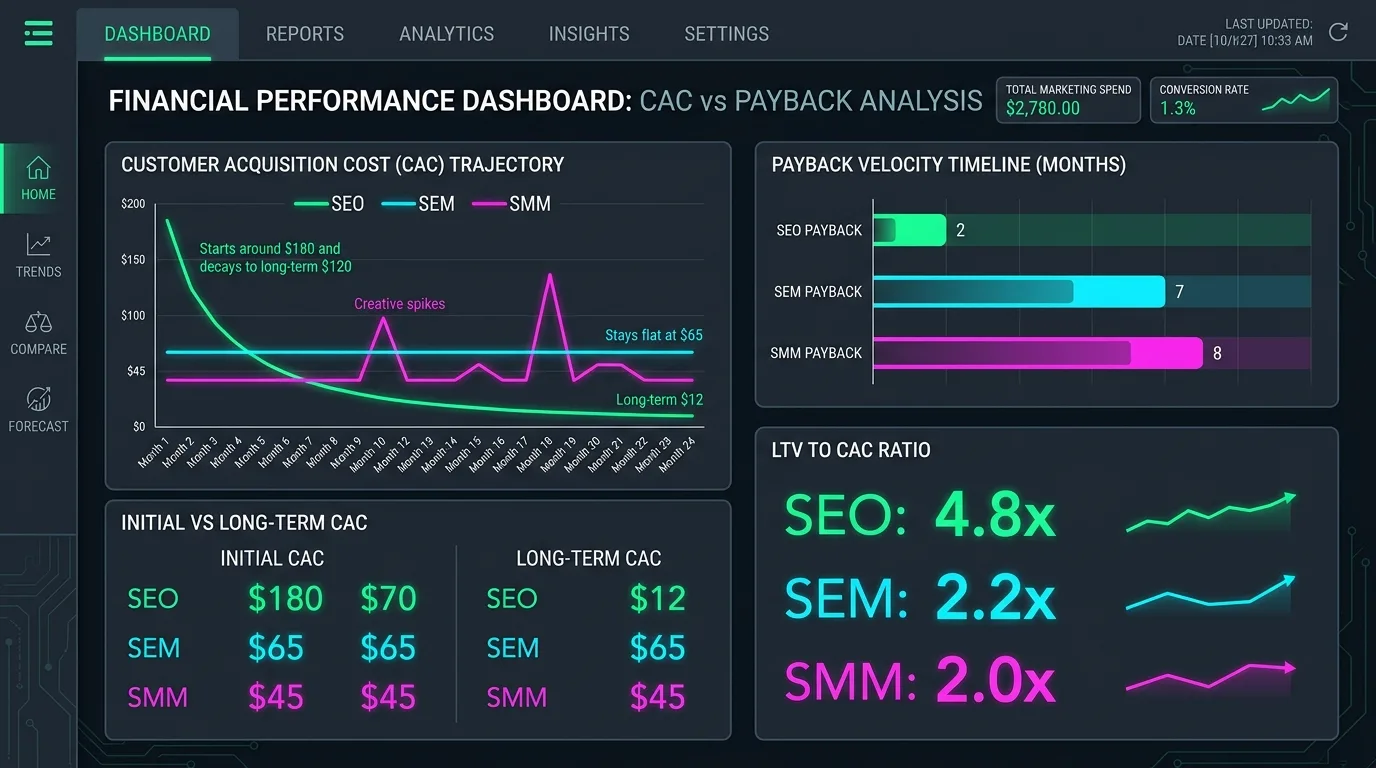
When tracking qualified B2B pipeline, configure custom parameters on lead submission events:
lead_intent_type: Identifies whether the form was an informational newsletter sign-up or a transactional enterprise demo request, reflecting principles from search intent optimization.estimated_pipeline_value: Assigns a dynamic contract value to enterprise inquiries based on company size inputs.
6. Data-Driven Attribution (DDA) vs. Last-Click Attribution
In Universal Analytics, the default reporting model was Last Non-Direct Click, which systematically penalized early-stage organic search assets. If a prospect researched an enterprise challenge, read your technical pillar article, and later converted via a retargeting ad, Google Ads took 100% of the credit.
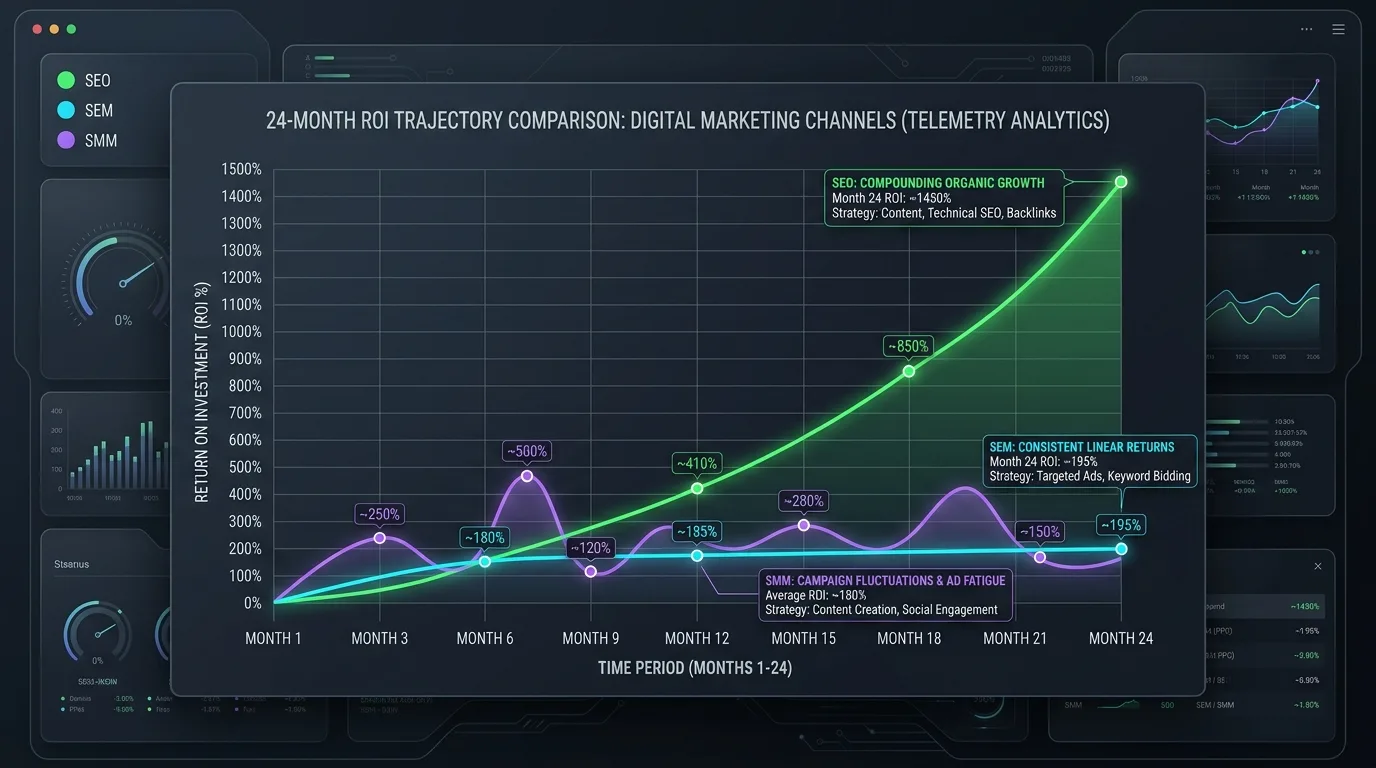
GA4 defaults to Data-Driven Attribution (DDA), which employs algorithmic machine learning models to analyze both converting and non-converting touchpaths across your entire user base. DDA assigns fractional credit (e.g., 0.35 conversions to Organic Search, 0.40 to Direct, and 0.25 to Email) based on how statistically significant each touchpoint was in driving the eventual transaction.
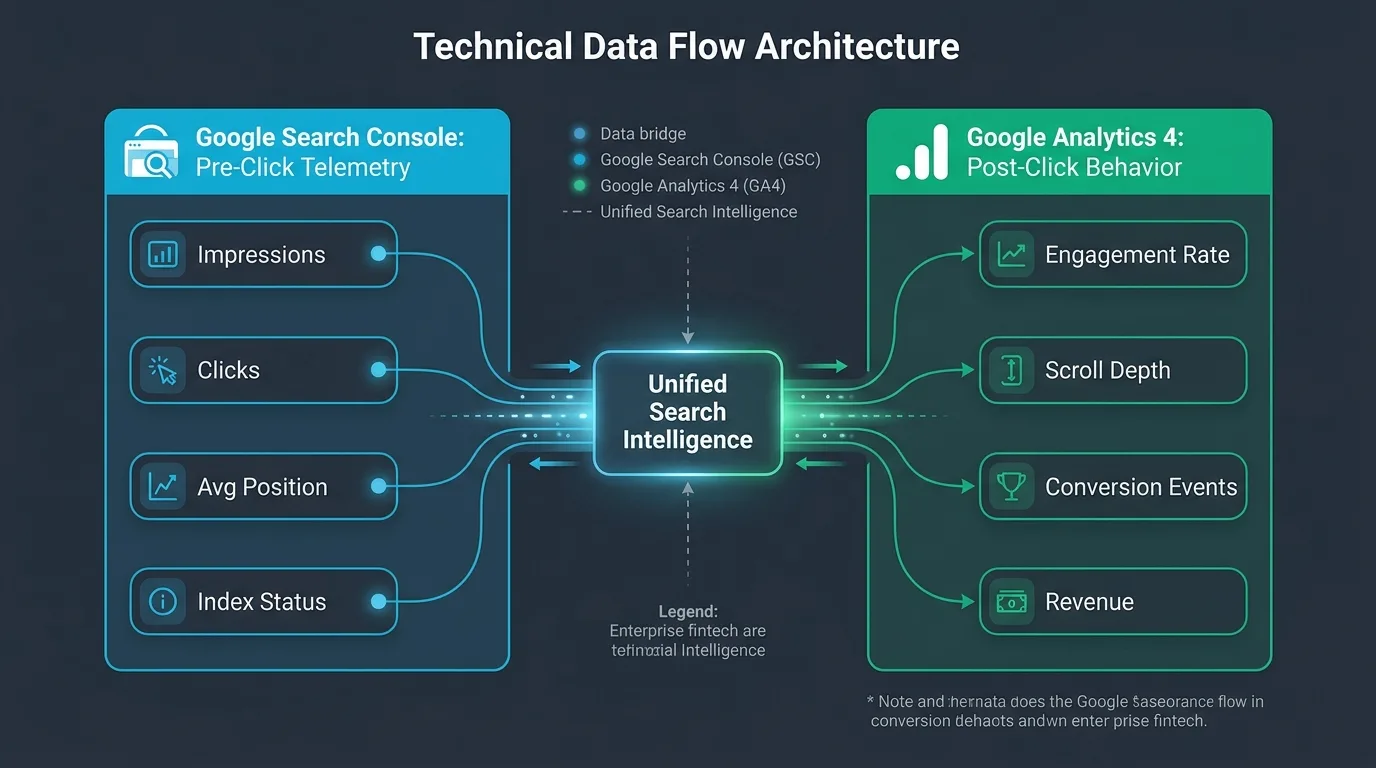
7. Integrating GA4 with Google Search Console: Unifying Queries with Behavior
Google provides a native integration between Google Search Console and Google Analytics 4, linking pre-click SERP visibility with post-click behavioral telemetry within a single interface.
To configure the integration:
- In GA4 Admin, navigate to Product Links -> Search Console Links and click Link.
- Select your verified Search Console property and choose your target GA4 Web Data Stream.
- Navigate to Reports -> Library, find the unpublished Search Console report collection, and click Publish.
This publishes two invaluable reports into your GA4 navigation: Queries (displaying impressions, clicks, CTR, and average position per search query) and Google Organic Search Traffic (connecting landing page GSC clicks directly with GA4 engaged sessions and conversion events).
8. BigQuery Export: Bypassing GA4 UI Limits and Thresholding
While the GA4 user interface is sufficient for routine spot-checks, enterprise search teams face severe limitations: data thresholding (Google withholding small-sample demographic data to protect privacy), sampling in complex explorations, and a maximum 14-month data retention window.
The definitive solution is activating the Free Native BigQuery Export in GA4 Admin. GA4 streams raw, unsampled, event-level JSON records directly into your Google Cloud BigQuery project daily, enabling custom SQL queries that merge analytics data with CRM tables, backlink profiles, and Search Console API data streams, as covered in our guide on automating Search Console data pipelines with Python.
-- Example BigQuery SQL Query: Organic Landing Page Performance
SELECT
  (SELECT value.string_value FROM UNNEST(event_params) WHERE key = 'page_location') AS landing_page,
  COUNT(DISTINCT user_pseudo_id) AS total_users,
  COUNTIF(event_name = 'session_start') AS total_sessions,
  COUNTIF(event_name = 'generate_lead') AS total_conversions
FROM
  `your-project.analytics_123456789.events_*`
WHERE
  _TABLE_SUFFIX BETWEEN '20260901' AND '20260925'
  AND (SELECT value.string_value FROM UNNEST(event_params) WHERE key = 'source') = 'google'
  AND (SELECT value.string_value FROM UNNEST(event_params) WHERE key = 'medium') = 'organic'
GROUP BY
  landing_page
ORDER BY
  total_conversions DESC
LIMIT 50;
Multi-Touch Organic Attribution Modeling in SQL
To measure the true assisted revenue contribution of early-stage organic articles, execute a window-function SQL query reconstructing the complete multi-session user path leading up to contract closure:
WITH user_touchpoints AS (
  SELECT
    user_pseudo_id,
    TIMESTAMP_MICROS(event_timestamp) AS hit_time,
    (SELECT value.string_value FROM UNNEST(event_params) WHERE key = 'source') AS traffic_source,
    (SELECT value.string_value FROM UNNEST(event_params) WHERE key = 'medium') AS traffic_medium,
    (SELECT value.string_value FROM UNNEST(event_params) WHERE key = 'page_location') AS page_path,
    event_name
  FROM
    `your-project.analytics_123456789.events_*`
  WHERE
    _TABLE_SUFFIX >= '20260101'
)
SELECT
  user_pseudo_id,
  ARRAY_AGG(STRUCT(hit_time, traffic_source, traffic_medium, page_path) ORDER BY hit_time) AS journey_path
FROM
  user_touchpoints
GROUP BY
  user_pseudo_id
HAVING
  LOGICAL_OR(event_name = 'purchase' OR event_name = 'contract_signed')
  AND LOGICAL_OR(traffic_medium = 'organic');
This reveals the definitive proof that organic search touchpoints initiated over 70% of enterprise contract journeys, neutralizing executive skepticism regarding content marketing value.
9. The 7-Point GA4 Technical SEO Audit Checklist
Execute this audit checklist across your GA4 property to ensure flawless data integrity:
| Audit Checkpoint | Target Setting | Validation Protocol | Remediation Action |
|---|---|---|---|
| Data Retention Window | 14 Months (Default is 2 months!) | Admin -> Data Settings -> Data Retention | Switch event data retention from 2 months to 14 months immediately. |
| Internal Traffic Filtering | Internal developer/office IPs excluded | Data Streams -> Tagging Settings -> Define Internal Traffic | Configure regex matching corporate VPN and office IP addresses. |
| Session Timeout Duration | Customized for long-form content | Data Streams -> Configure Tag Settings -> Adjust Session Timeout | Extend session timeout from 30 mins to 60 mins for deep technical reads. |
| Unwanted Referrals | Payment gateways & SSO domains excluded | Tagging Settings -> List Unwanted Referrals | Add PayPal, Stripe, and third-party auth domains to prevent self-referrals. |
| Enhanced Measurement | Outbound clicks, site search, and video enabled | Data Streams -> Enhanced Measurement | Enable tracking for search queries, external links, and video playback. |
10. The Strategic Future: Predictive Audiences and GA4 AI Telemetry
As search transitions into conversational and multi-modal environments, GA4's predictive modeling engines represent the next frontier. By training machine learning models on early engagement metrics (such as reading duration, scroll velocity, and return frequency), GA4 generates Predictive Audiences—identifying organic visitors with a 90%+ probability of converting within the next seven days.
Growth teams can push these predictive cohorts directly into Google Ads for automated remarketing, creating an integrated growth flywheel where organic search fuels paid conversion efficiency with zero wasted ad spend.
Frequently Asked Questions About GA4 for SEO
What is the difference between First User and Session Source in GA4?
First User Source attributes all future conversions back to the original channel that first introduced the user to your website. Session Source attributes conversions to the specific channel that initiated the visit during which the conversion occurred.
Why does GA4 show less organic traffic than Google Search Console?
Search Console measures total search engine clicks recorded by Googlebot, whereas GA4 measures actual on-site sessions that successfully load the analytics JavaScript tracking tag. Discrepancies arise from ad blockers, cookie consent rejections, browser privacy features, and page load latency.
What is a good engagement rate in GA4 for organic search?
For organic blog and educational content, an engagement rate between 55% and 70% is considered healthy. For commercial comparison and transactional landing pages, target engagement rates above 65%.
How long does GA4 store user and event data?
By default, GA4 stores detailed event and user data for only 2 months. You must manually navigate to Admin -> Data Settings -> Data Retention and change the setting to 14 months to preserve historical data in custom Explorations.
How do I prevent GA4 from sampling data in SEO reports?
To avoid sampling in complex explorations, narrow your date ranges, reduce the number of simultaneous breakdown dimensions, or export your raw event data to Google BigQuery, which never samples data.
What is Data-Driven Attribution in GA4?
Data-Driven Attribution is an algorithmic model that uses machine learning to evaluate all touchpoints across converting and non-converting user paths, distributing fractional credit to each marketing channel based on its empirical influence.
How do I find organic search keywords in GA4?
Link your Google Search Console property to GA4 under Admin -> Product Links -> Search Console Links. This publishes the Search Console Queries report into your GA4 library, displaying organic queries alongside impressions and clicks.
Why does GA4 show "(not set)" in landing page reports?
"(not set)" appears when an event fires without an associated pageview event (such as an automated session start or background trigger), or when tracking tags are improperly sequenced before the page_view event completes.
Can I export GA4 data to BigQuery for free?
Yes. GA4 includes a free native integration with Google Cloud BigQuery. You only incur standard Google Cloud costs if your storage and query processing exceed BigQuery's generous free sandbox tier (10 GB storage and 1 TB query analysis per month).
How do I track PDF downloads and outbound affiliate links in GA4?
Enable "Enhanced Measurement" within your GA4 Web Data Stream settings. GA4 will automatically track file downloads (file_download) and external link clicks (click) without requiring custom code.
Ratings & reviews
No reviews yet. Be the first.